Google & Meta advertising
Find available stay windows, prepare campaign briefs and build paused ads for review. Approved campaigns can be launched through configured Google and Meta connections; track spend, clicks and provider-reported conversions.
Features & connections
Plan marketing around available nights. Give staff the tools to run the property, guests a useful stay portal and owners a clear account of results, costs and decisions.
These workflows are built around our first operation at Mr Property Siam. Features and provider connections are configured during onboarding; a new company account does not automatically activate every integration.
SEE THE SOFTWARE IN CONTEXT
Explore the experience, then open the working details. Actual screenshots and illustrative scenes are labelled so you can see exactly what you are looking at.
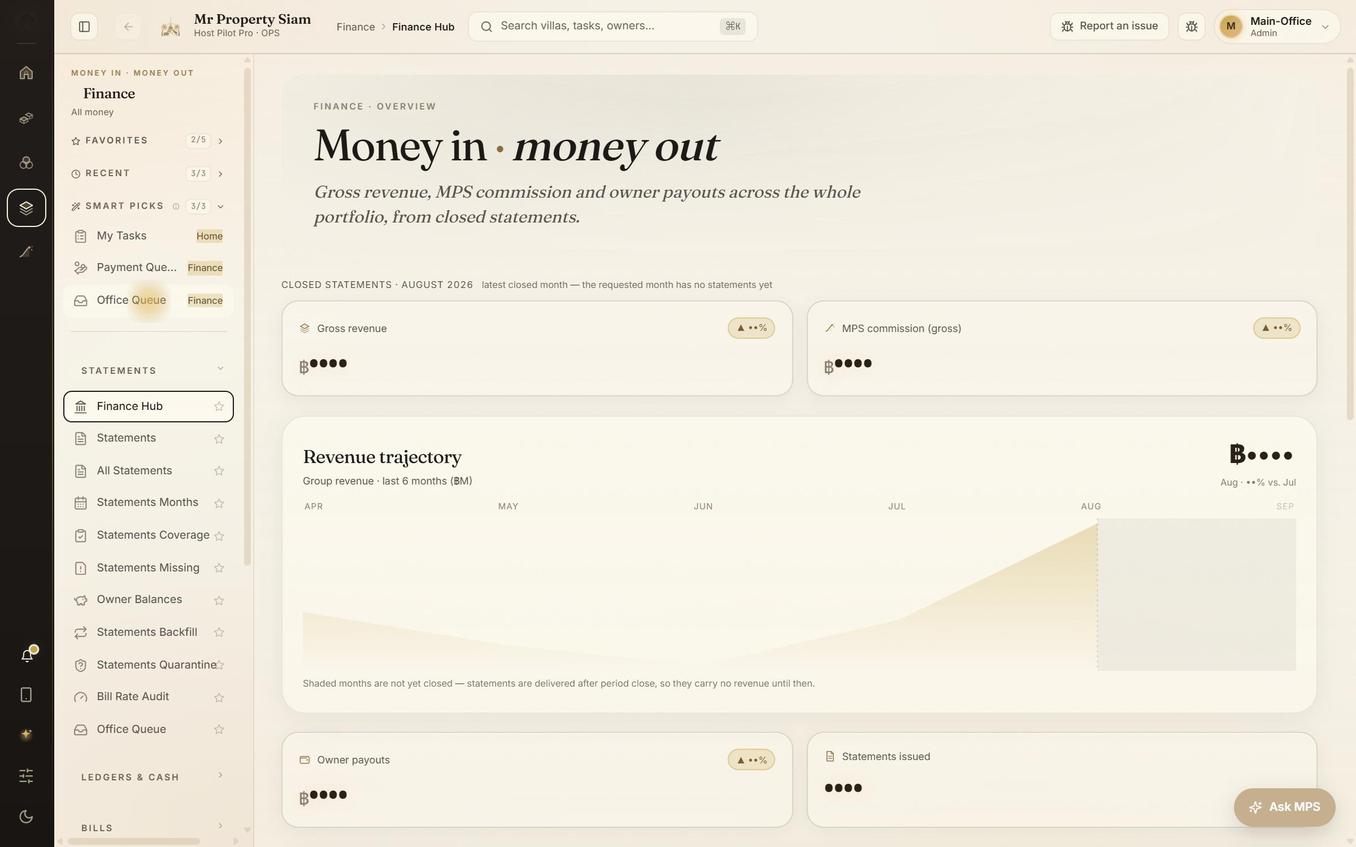 Actual Ops interface · anonymised
Owner ledgers, invoices, supplier costs and recorded payouts, in context.
Explore this experience Illustrative capture workflow
Capture a receipt, review the extracted details and keep the evidence attached.
Explore this experience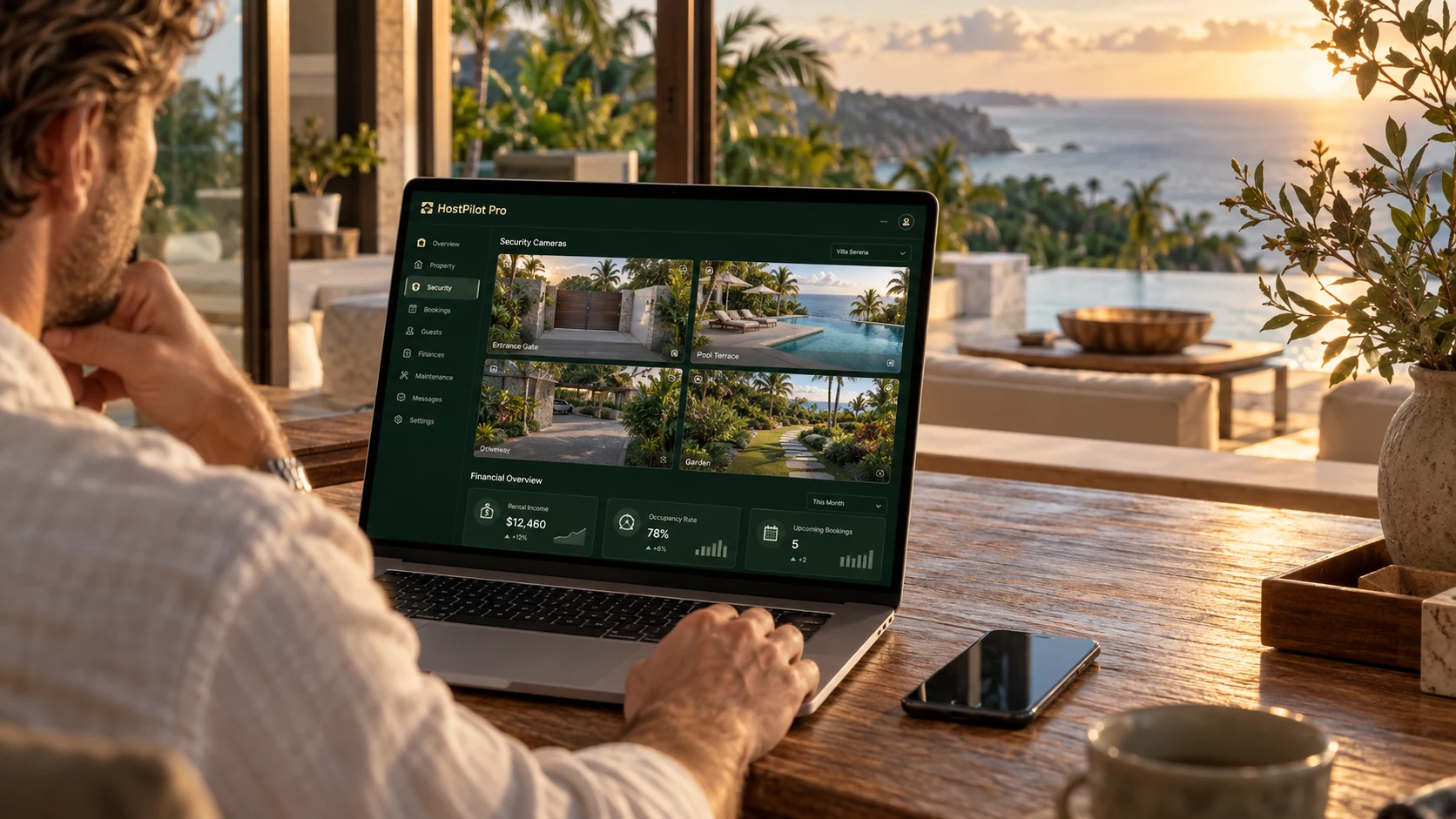 Illustrative scene · cameras are a concept
Statements, supporting documents and financial updates, built around their property.
Explore this experience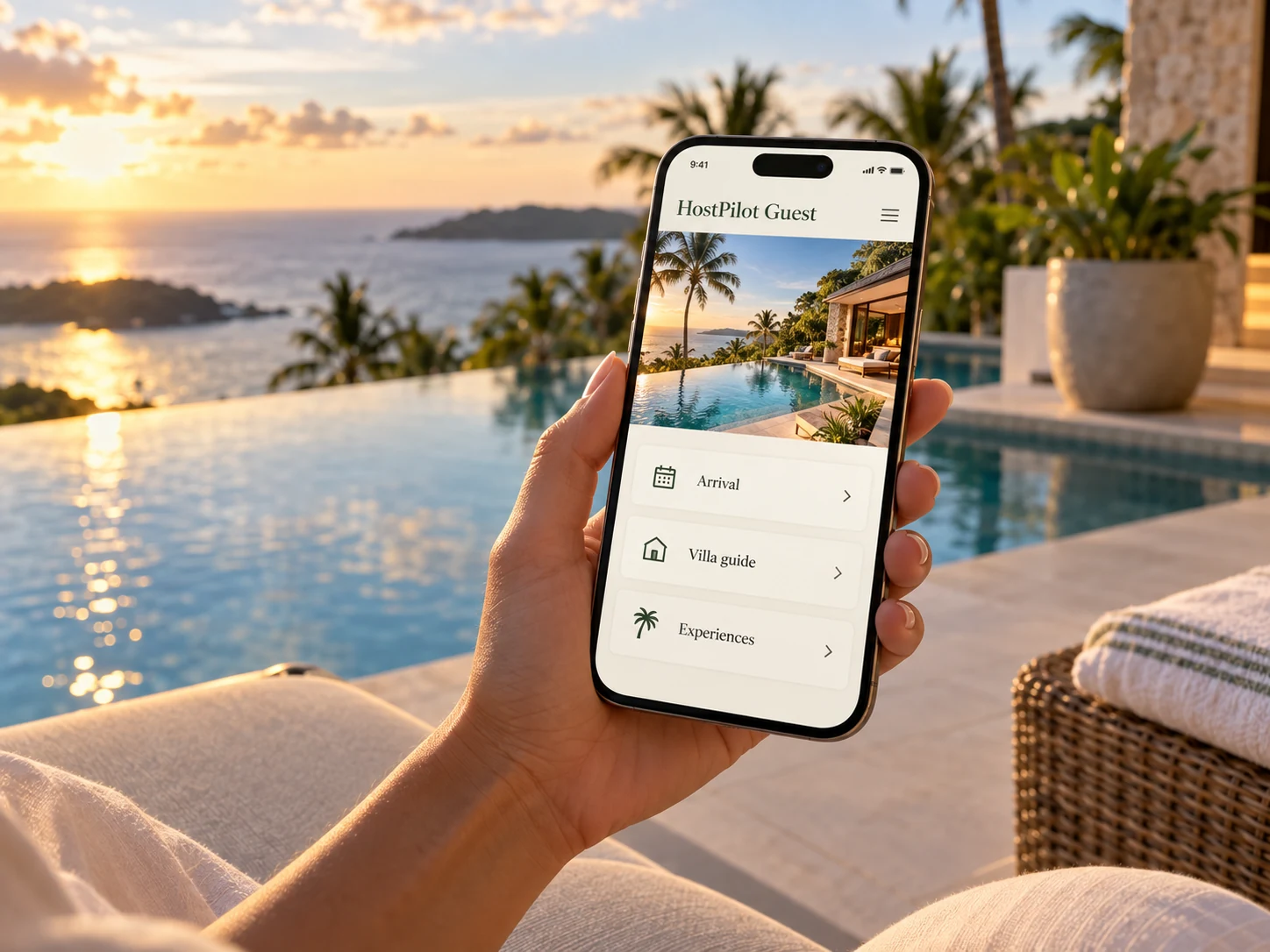 Illustrative guest experience
Arrival essentials, villa guidance, service requests and configured payments.
Explore this experience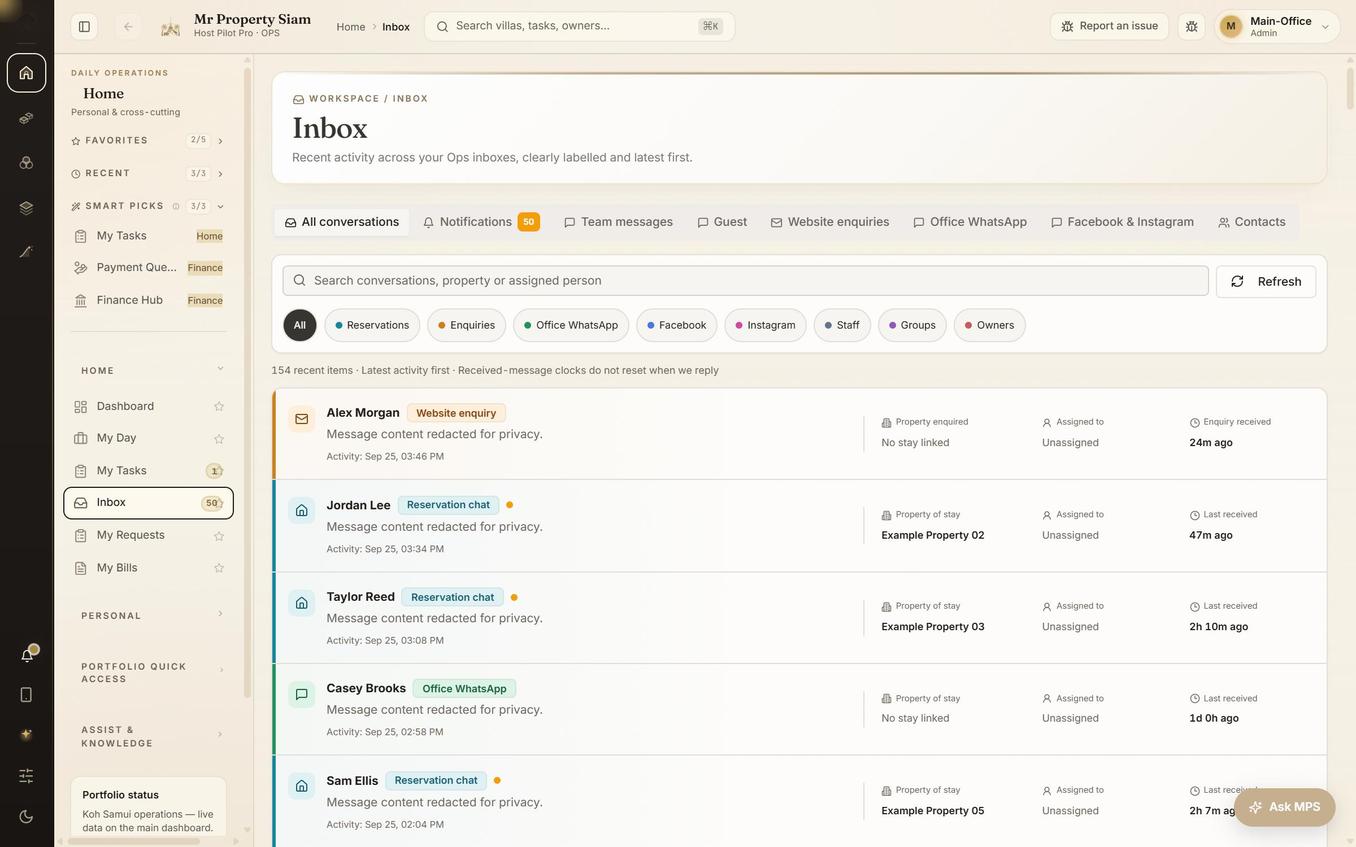 Actual Ops interface · anonymised
Supported conversations with source labels, property context and team assignment.
Explore this experience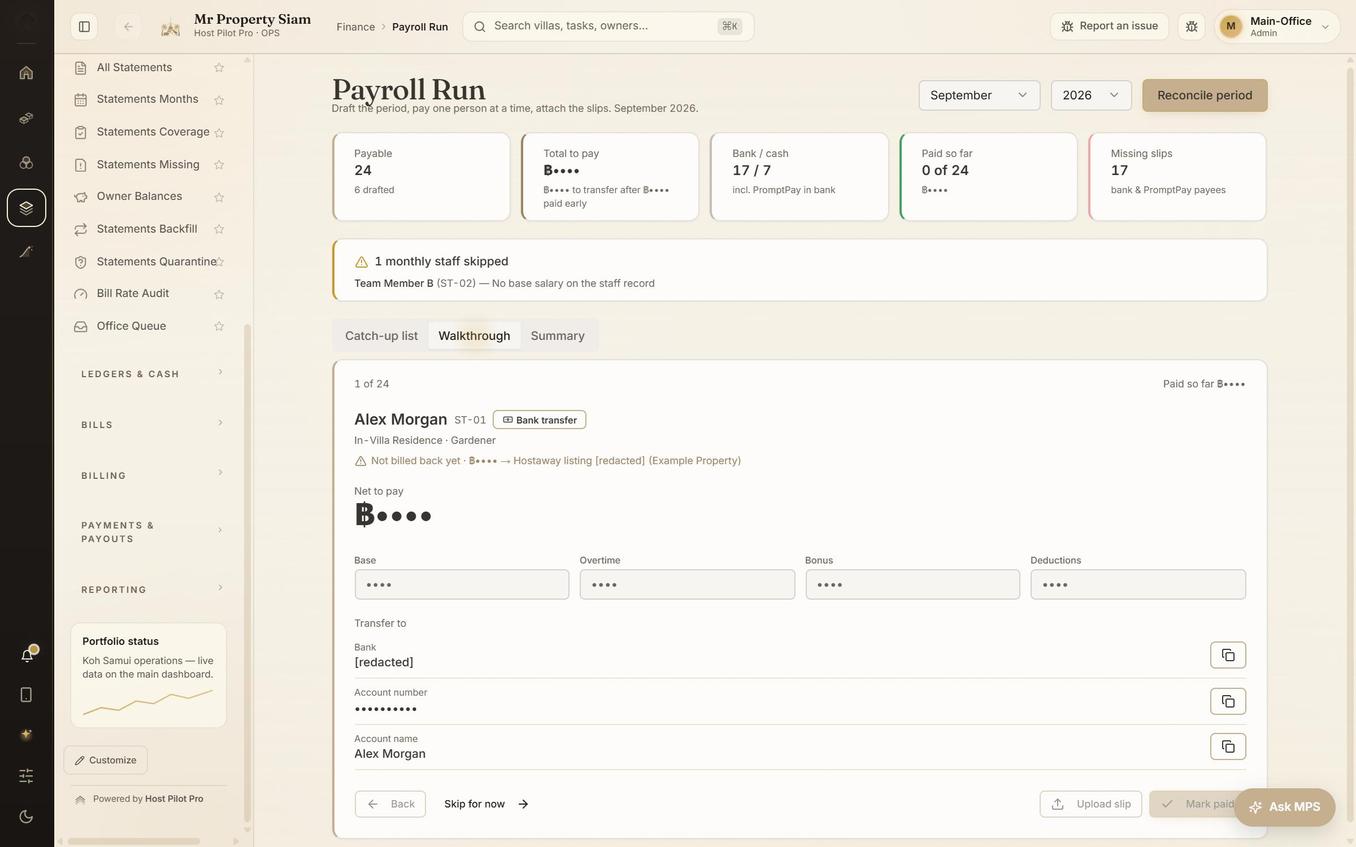 Actual Ops pay review · anonymised
Recorded work and hours connect your villa team to the office’s pay review.
Explore this experienceTHE GROWTH WORKSPACE
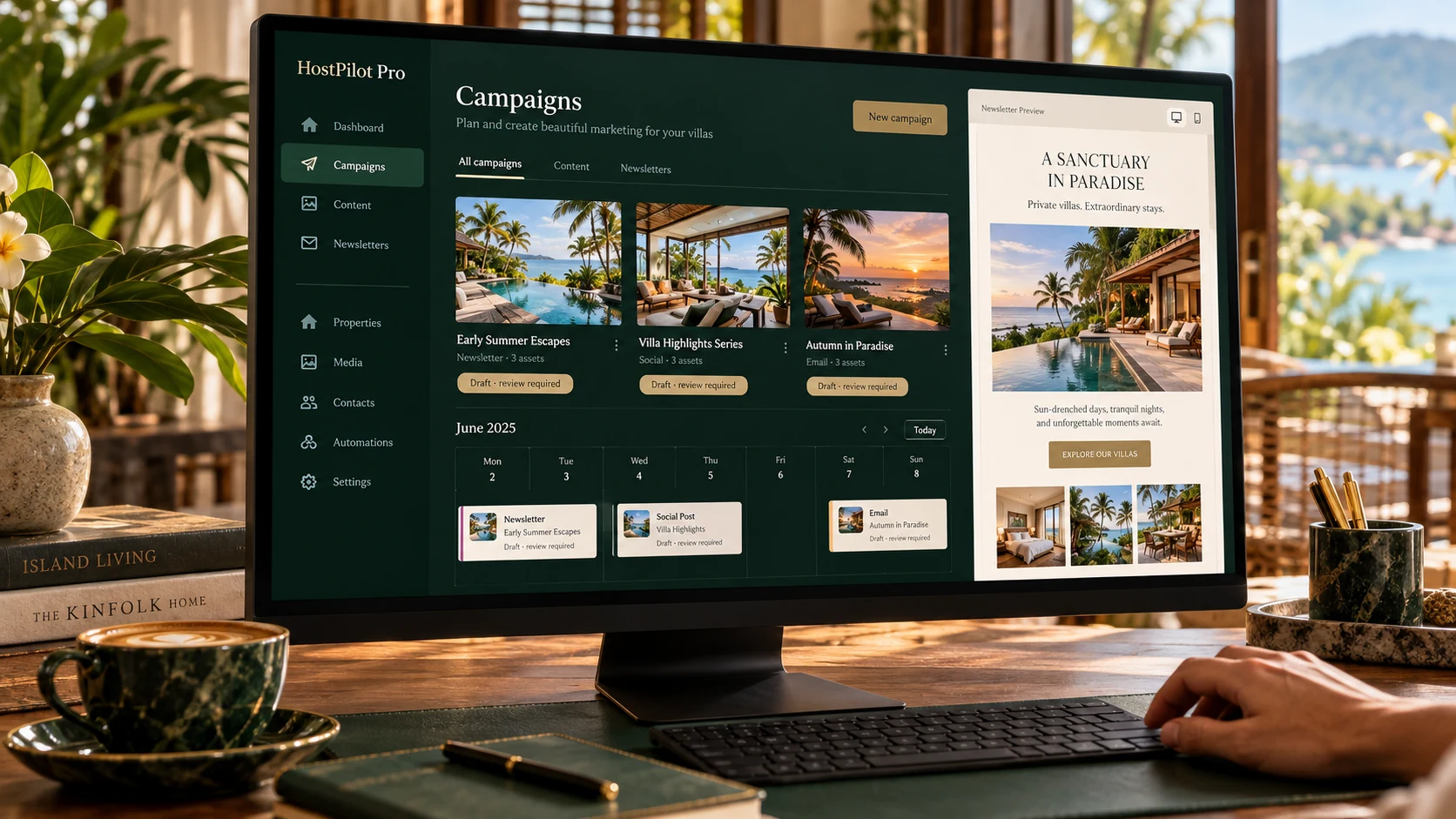

A fictional campaign brief, built around an available stay window.
ILLUSTRATIVE PREVIEW · NO LIVE CAMPAIGNUse available nights as the starting point. Prepare Google and Meta campaign drafts, review the creative and budget, then approve actions through configured provider connections.
Review stays in the workflow. Drafting content does not publish an ad, spend a budget or send a newsletter.
Scenes and sample budgets are illustrative. Credentials, provider permissions, audience selection and approval are required before live actions. Provider-reported conversions are not independently verified bookings.
Marketing & communication
Bring campaign planning, guest communication and the daily operation into the same working context.
Find available stay windows, prepare campaign briefs and build paused ads for review. Approved campaigns can be launched through configured Google and Meta connections; track spend, clicks and provider-reported conversions.
Turn selected villas, real photos and booking links into editable newsletters. AI helps write and revise the draft; your team previews it, chooses the audience and approves sending.
Prepare artwork, captions and community-post drafts around actual availability. Download content for manual posting; community-group publishing stays with your team.
Keep supported one-to-one conversations, incoming files and property context together. Configured office accounts support reviewed text replies within the provider’s messaging window.
A supplier pilot connects orders, delivery photos, quantities, bills and payment evidence. Activate and test the workflow with each participating supplier.
Configured social capture brings incoming messages into the office view. Receiving messages and publishing ads are separate capabilities; social inbox replies are not currently supported.
Owner involvement
Connect performance, property care and growth requests to the records behind them.
Owners can request campaigns, review budgets and use marketing credits. Advertising spend and management fees remain visible; staff share campaign results once reviewed.
Bring maintenance requests, inspection findings and proposals into the owner conversation, with supporting records and a saved response.
Review draft contracts, leave feedback and follow the signature journey. Keep property documents, invoices and statement downloads accessible.
Follow bookings, revenue targets and pricing boundaries. Record purchase costs and investment figures for a clearer view of the property’s performance.
See recorded payment methods, references and proof alongside statement balances. Estimates remain distinguishable from completed payments.
Throughout the stay
Help guests find answers, request services and understand what has been confirmed.
Collect guest details and passport documents, show check-in progress and provide the house manual, directions and configured access instructions.
Guests can follow service and transfer requests, ask for changes or cancellation and contact the team. Supplier confirmation remains a separate step.
Configured Stripe checkout supports card payments. Wise transfer instructions and Thailand’s PromptPay slip workflow provide additional options where enabled. Payment status follows reconciliation or staff verification, not a checkout return or an uploaded slip alone.
Request extra nights and changes to scheduled property visits. The office checks availability and confirms the request.
A mid-stay check-in lets guests raise a concern while the team can still respond. Contextual concierge assistance also offers a route to a human.
Bring villa guidance, weather, experiences and relevant local notices into the guest’s stay context.
Connection guide
| Connection | Current scope | What to expect |
|---|---|---|
| Hostaway | Current booking-system connection | Reservations and stay context. Configure and validate each operator’s account before activation. |
| Guesty / Lodgify | Planned adapters | Their APIs differ. Access, permissions and supported workflows must be tested before onboarding can offer them. |
| Google Ads / Meta Ads | Implemented provider workflows | Reporting and reviewed campaign actions need credentials, permissions, budgets and approval. Provider conversions are not independently verified bookings. |
| Mailchimp | Implemented newsletter workflow | Audience selection, draft creation, editing, preview, reports and explicitly approved sending. |
| Configured office connection | Supported incoming conversations and files; reviewed one-to-one text replies through the office provider. | |
| Facebook / Instagram messages | Incoming capture | Requires account subscriptions and activation. Outbound social inbox replies are not supported. |
| LINE | Supplier pilot | Ordering, delivery evidence and payment records with participating suppliers. Bank transfers are recorded, not executed by this workflow. |
| Configured delivery workflows | Guest and owner notices depend on enabled delivery paths. Full Gmail or Outlook mailbox synchronisation is not currently offered. | |
| Stripe / Wise / PromptPay | Payment options by configuration | Stripe hosted checkout, Wise instructions and PromptPay payment evidence. Eligibility, currency and reconciliation vary by provider and country. |
| TM30 | Thailand-specific workflow | Prepare the Thai guest-report import spreadsheet and track staff-recorded filing status. An export is not an automatic government submission. |
Mr Property Siam is the first client using HostPilot Pro. Its English, Thai and Burmese setup reflects its team, not a three-language limit on the product’s future. We plan to develop each market’s edition around the people, rules and payment methods that belong there.
Planned editions for Spanish-speaking and French-speaking markets, the Philippines and Indonesia will adapt interface language and local terminology to each operator’s needs.
We will agree local reporting, tax, payroll and document requirements during onboarding and review adaptations before release. TM30 is a Thailand-specific spreadsheet and filing-status workflow, not a worldwide reporting service.
We intend to integrate payment providers and methods appropriate to each market. Thailand’s PromptPay is not the default answer for operators in other regions.
These are planned adaptations, not a claim of current worldwide language coverage, legal compliance or payment availability. Country scope, supported providers and launch readiness will be confirmed before onboarding.
Discuss your marketDuring onboarding, we agree the booking connection, payment methods, document workflows and local adaptations your business needs before activation.
Discuss your setup